Edit PDF Quick Answer
To edit a PDF online for free, upload your document to the PDF AI editor. Use the top toolbar to select the text tool to type on the page, the pen tool to draw or sign, and the highlighter to mark important text. Click "Download" to save your updated, watermark-free PDF instantly without installing software.
Need to fix a typo, fill out a form, or sign a digital contract? Traditionally, editing a Portable Document Format (PDF) required expensive desktop software. Today, you can edit PDF online free directly from your web browser. No credit cards, no hidden watermarks, and no software installations required.
Table of Contents
Whether you need to add text to PDF, draw shapes, insert images, or create a digital signature, using an online PDF editor is the fastest and most secure way to get the job done. In this comprehensive guide, we will walk you through exactly how to annotate PDF online flawlessly.
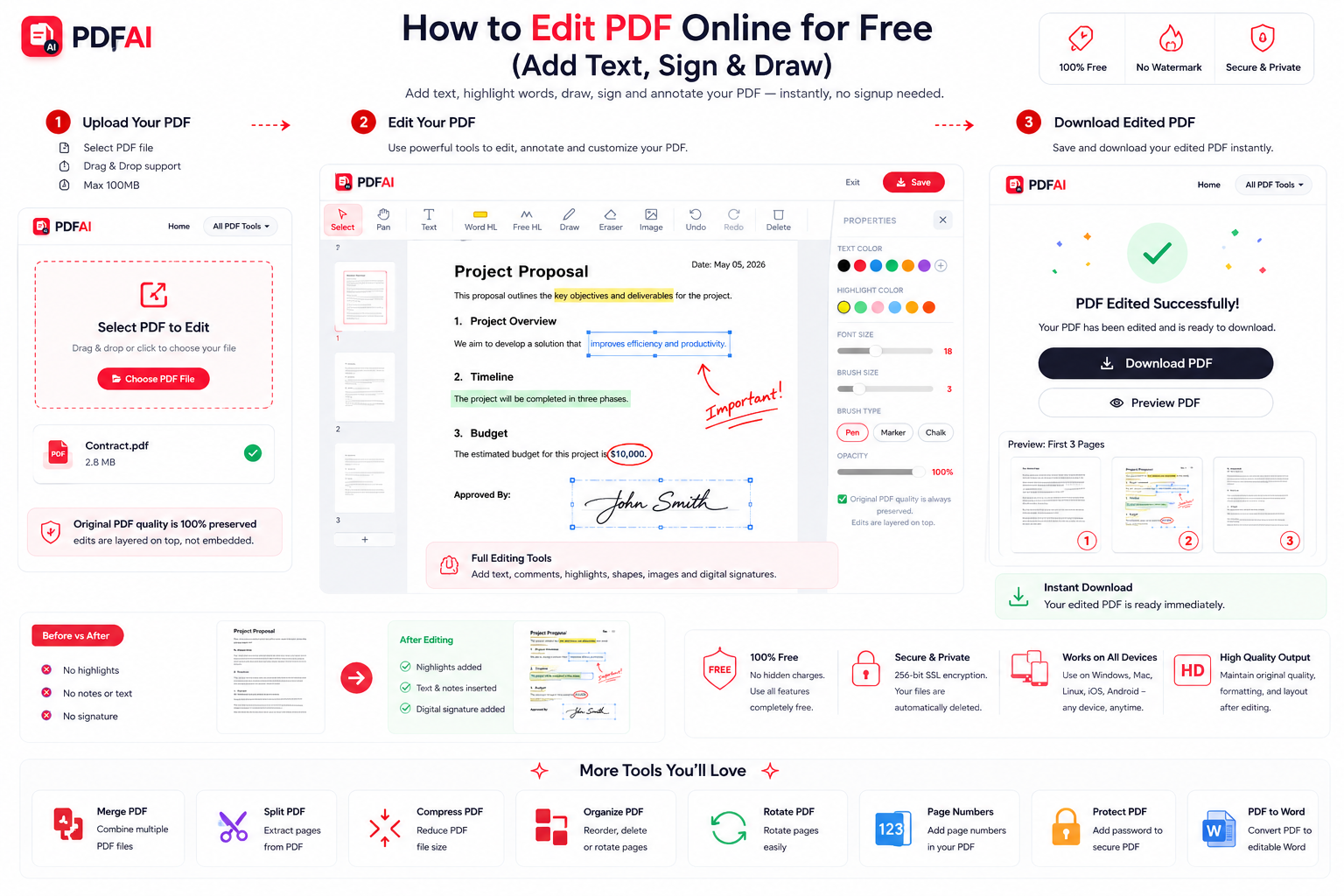
Our complete PDF AI editing suite allows you to modify your documents instantly without needing expensive software.
Why Use an Online PDF Editor?
For years, premium desktop applications held a monopoly on document modification. But why pay a monthly subscription when you only need to fill out a simple tax form or sign a lease agreement? A pdf editor free tool like PDF AI empowers you to manage your documents effortlessly. Here is why professionals prefer web-based editing:
Fill Forms Fast
No more printing, hand-writing, and scanning. Just click anywhere on the page and start typing to fill out applications.
Sign PDF Online
Create legally binding digital signatures. Draw your signature with a mouse, trackpad, or touch screen instantly.
Annotate Clearly
Highlight important clauses, draw arrows, or strike through incorrect text for seamless team collaboration.
Universal Access
Because it runs in your browser, you can edit PDFs on Windows, Mac, iOS, or Android without compatibility issues.
Common PDF Editing Use Cases
Our editing tool is utilized by thousands of users daily for a variety of critical tasks. Here are the most frequent reasons people need to quickly manipulate their documents online:
Step-by-Step Guide: How to Edit a PDF Online
Ready to update your document? Follow these simple steps to edit PDF without Adobe or any other heavy software:
Detailed Editing Features
- How to Add Text to a PDF: Click the
"T" (Text)icon. Click anywhere on the document where you want words to appear. A text box will open. Type your text, and use the menu to adjust font size, color, and alignment. - How to Highlight PDF Text: Click the
Highlightericon. Choose your color (usually yellow), and drag your cursor over the text you wish to emphasize. - How to Draw on a PDF: Select the
Pencilicon. This is perfect for circling numbers, drawing arrows, or making freehand corrections. - How to Sign a PDF: Click on the
Signatureicon. Draw your signature using your mouse/touchpad, or upload a pre-saved image. Drag and resize it to fit perfectly on the line.
PDF AI vs Premium Software
If you are wondering whether to use a free online editor or pay for premium desktop software, here is a quick comparison breakdown. (Note: Premium software pricing varies by region, but often requires an ongoing subscription).
| Feature | PDF AI (Online) | Standard Desktop Software |
|---|---|---|
| Cost | ||
| Add Text to PDF | ||
| Highlight / Annotate | ||
| Sign PDF | ||
| Software Installation |
For 95% of daily tasks—like filling out applications or signing contracts—an online pdf editor like PDF AI provides all the necessary functionality without the hefty price tag.
Is Online PDF Editing Safe?
Ready to Edit Your Document?
Upload your file to PDF AI's online editor now. Add text, highlight clauses, or insert a digital signature instantly. Completely free.
Open PDF Editor FreeEnhance Your Workflow
Editing is just the beginning. Once your text is added and your document is signed, you might need to manipulate the file further. With PDF AI, you can:
Frequently Asked Questions (FAQ)
Can I edit PDF without Adobe Acrobat?
Yes! You do not need expensive software to edit documents. Our free online PDF editor allows you to add text, highlight, draw, and sign documents directly from your web browser (Chrome, Safari, Edge) without installing anything.
How do I add text to a PDF?
Simply upload your document to our editor, click the 'T' (Text) icon on the top toolbar, and click anywhere on the page. A text box will appear allowing you to type, resize, and change the font color immediately.
Can I sign a PDF online securely?
Absolutely. Click the Signature icon in our toolbar. You can digitally draw your signature using your mouse or trackpad, or upload a photo of your actual signature. Then, drag and place it on the signature line of your document.
Is PDF AI truly free to use?
Yes, the PDF AI editor is 100% free to use. There are no hidden fees, no required account signups, and we do not force obnoxious watermarks onto your final downloaded document.
Can I highlight text in my PDF?
Yes. Select the Highlighter tool from the menu. You can drag your cursor over the specific lines of text you want to emphasize to apply a bright, translucent yellow marker effect, just like a real highlighter pen.
Does editing reduce the original PDF quality?
No. When you add text or drawings using our tool, we inject the new data into the existing structure of your PDF. Your original text, formatting, and images will retain their exact high-resolution quality.
Can I add my own images to the PDF?
Yes, our editor includes an Image tool. Click the image icon to upload a logo, a digital stamp, or a photograph from your computer, and drag it anywhere onto your document.
Are my uploaded documents secure?
Yes, your security is our top priority. Files are transferred via encrypted SSL connections, and your uploaded documents are automatically removed from our servers after your editing session is complete.